About the Users Section
The User Management section allows you to manage your user profile and contains detailed information that was initially setup in DataSource.
- When accessing the User Profile panel, the user's information who is logged into DataSource is displayed.
- When used in conjunction with User Search and Level Structure, you can navigate to various site locations (if applicable) and administrators can search for other users based on the preferences you select.
Users can update their personal information; however, administrators have access to adding, changing, copying, and deleting the user profiles.
To access the User Profile panel:
- Click the Account tab from the navigation bar.
- Click User Management.
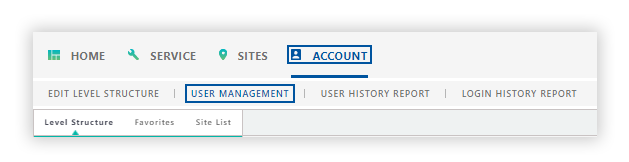
Note: From the Level Structure section, select the desired site levels to include in the report. You can search site levels using the Level Structure, Favorites, or the Search tab
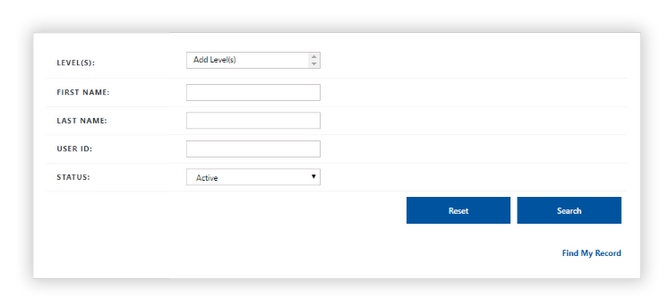
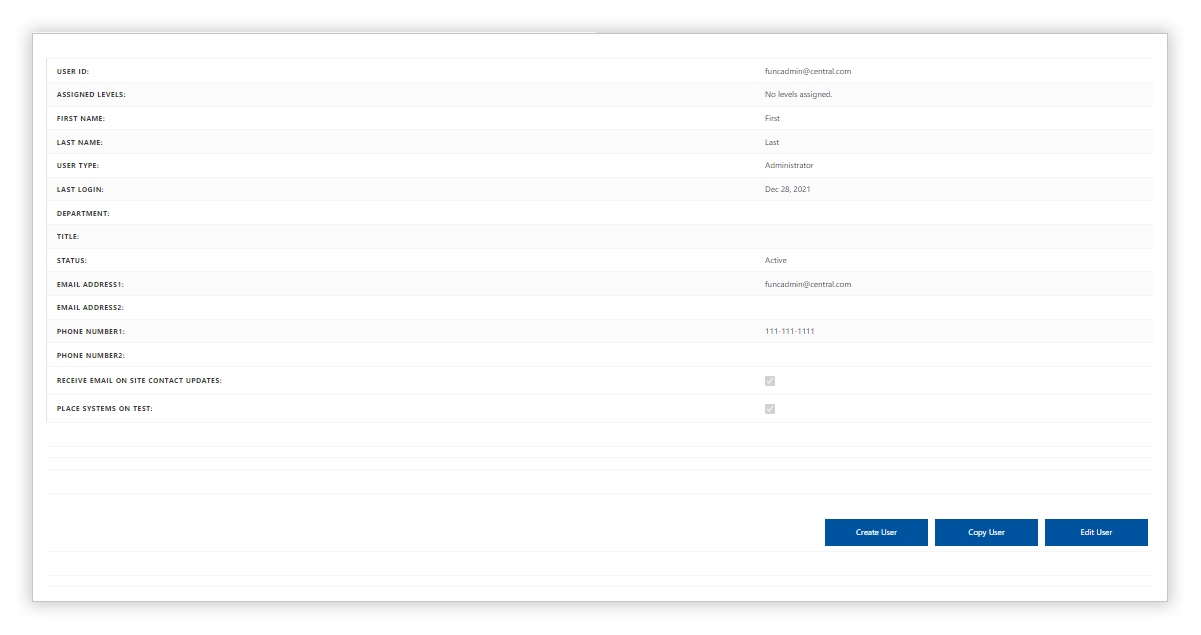
Field Definitions
User ID
- The User ID is the email address used for the username of the person who is logged into DataSource.
- In Sites, the User ID only appears at the system level.
- Only Johnson Controls can add the User IDs to your contacts, but these User IDs can be assigned to your employees as needed.
Assigned Level(s)
Displays the site level that is selected from the Level Structure section.
Status
Displays the current state the user is assigned in DataSource (Active or Inactive).
-
Active - By default, the Active setting is displayed in the Active field. Active users have access to DataSource, and their permissions are based on the account type that was set up by the Administrator.
-
Inactive - Users who have an inactive status are those whose permissions or access to DataSource has been disabled.