Deleting an Alert
Once an alert has served its purpose and you no longer need it, you can remove the alert from DataSource.
Deleting Activity & User (non-triggered) Alerts
 To delete activity & user (non-triggered) alerts, click Account from the Navigation bar and select Alerts in the subnav.

-
Click the Delete
 icon from the associated alert you want to remove.

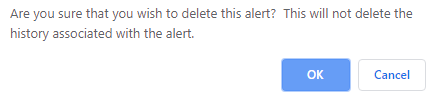
The Are you sure that you wish to delete this alert? message appears.
-
Click OK. The Alert deleted successfully message appears in the User Alerts panel.
Deleting the alert will not delete the history associated with the alert.
Deleting Triggered Alerts
To delete triggered alerts, click Account from the Navigation bar and select Alerts in the subnav.
-
Select the Triggered Alerts Tab

-
Select the desired triggered alert.
-
Click Delete
.
The Are you sure that you want to delete the selected records? message appears.
-
Click OK.
The triggered alert is removed from the Triggered Alerts tab.