Viewing Activity Reports
The Activity Report allows you to view the all events or a specific event that occurred at the selected sites. You can run a report based on the site's alarm activity, test activity, or both. Once you select the desired criteria to search for, you can generate, download, and save the report. Information included in this search report includes Site, Store#, Date, CS#, CS Description, Alarm/Test (Events only), Event Description, Zone ID, Zone Comments and User.
View instructions on how to Run an Activity Report Search
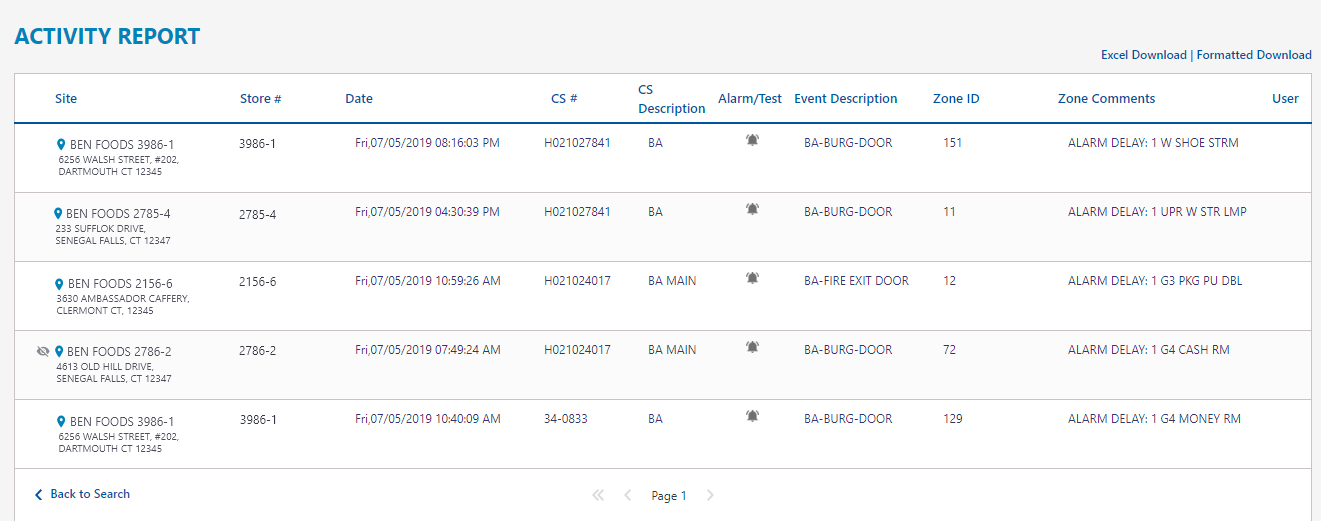
Alarm/Test
 You can hover on the Alarm/Test icons for reference. Note: These icons are only displayed on Events searches.


Downloading Reports
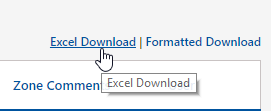
You can download reports in either Excel or Formatted by clicking one of the links in the upper right-hand corner of the grid.
-
-
Excel Download - Already in data rows in an editable Microsoft Excel file
-
Formatted Download - Printable View
-
Pagination
If your report is multiple pages, there will be an active blue arrow  in the pagination.

On a multi-page report, you have active navigation to return to previous page or return to page 1.

