Using the Site Info Panel
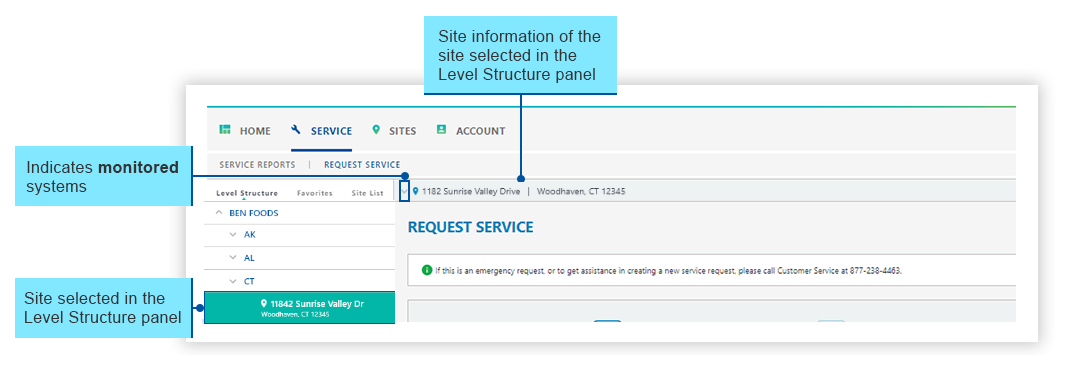
The Site Info panel is linked with the Level Structure. When a site is selected in the Level Structure, details about the site appears in the Site Info panel.
The Site Info panel appears pinned to the top of the main content area, under the various navigation tabs.
In this example, one of the sites for Ben Foods is selected.
The Site Info panel will not display any detail if a site is not selected in the Level Structure.
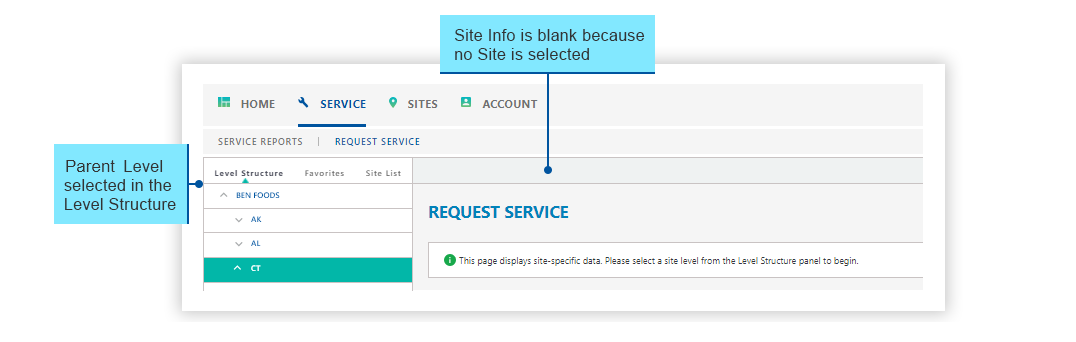
Non-monitored site:

For sites with monitored systems, you can click the  icon to expand the Site Info panel and view more site details.

The content will display below the Site Info panel.
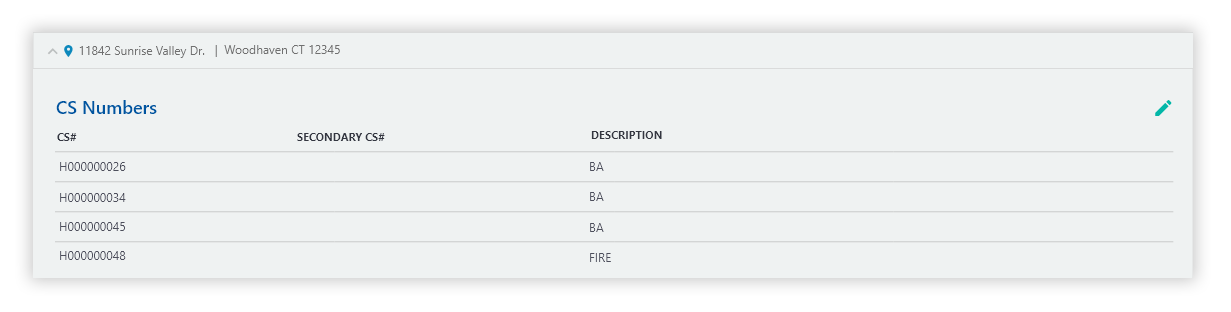
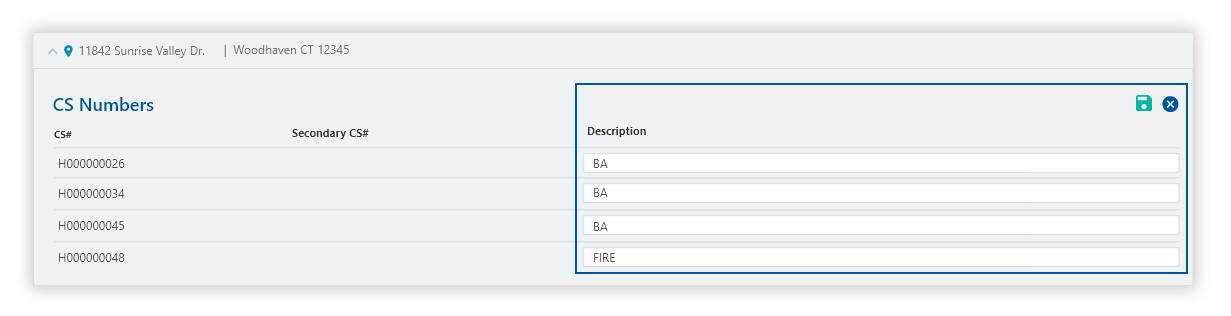
Note: If you select a site with multiple systems, all the systems will be displayed by CS#. For sites with multiple systems, check the system description as it is a useful tool in identifying each system.
When a physical location has multiple systems, occasionally these systems may have a different address. The address hyperlink is the ‘monitoring address’ where the Police and Fire Departments will be dispatched.
-
To view the monitoring address, hover over the address hyperlink.
-
If a hyperlink does not exist, the monitoring address is the same as the address provided in the Site Info panel.