Running a User History Report Search
The User History panel examines the activity that takes place when they are logged into DataSource. Based on the search criteria you entered, the results will show the user's information and who performed the changes. In addition, you have the ability to download the results.
 You can search for users who have been removed from DataSource as it will reflect the activity that took place.
 To access the User History Report section, click Account from the Navigation bar and select the User History Report tab.

When searching for a user's history, you have the option of entering full or partial characters in the fields. You can use:
-
User ID - Searches using the username created for the user. The User ID is the email address used for the username of the person who is logged into DataSource.
-
Last Name - Searches by using the user's last name or the first character of the last name. Entering the whole name will generate results based on the name you entered. However, if you enter the first character of the last name, the results will generate users who share the same letter.

Note: If you choose to use both search criteria fields, then both values must exist for one record to display the results.
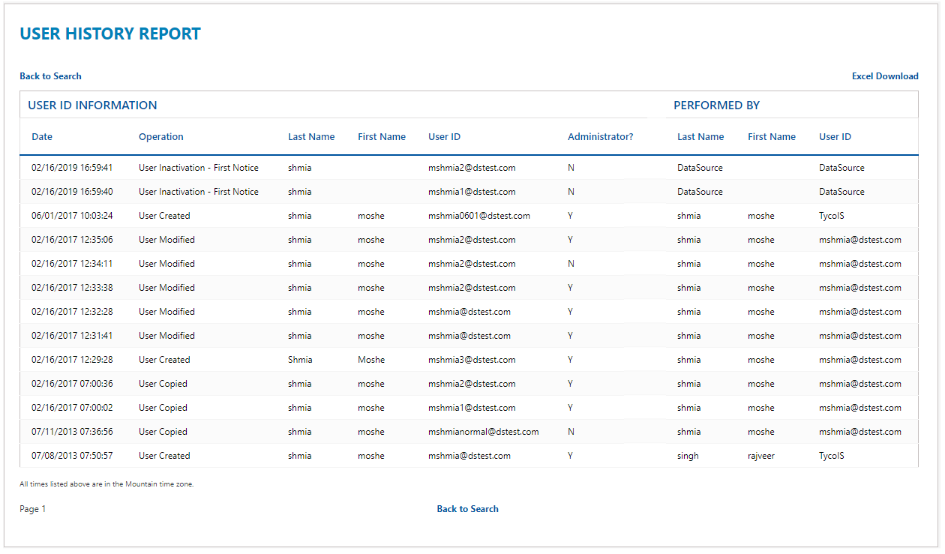
Click Back to Search to go back to the previous Search screen.
Field Definitions
User ID
The User ID is the email address used for the username of the person who is logged into DataSource. In Sites, the User ID only appears at the system level and is specific to an alarm panel and identified which user has armed/disarmed the alarm. Only Johnson Controls can add the User IDs to your contacts, but these User IDs can be assigned to your employees as needed.