Viewing Triggered Alerts
Once an enabled alert is triggered, the alert appears in the Triggered Alerts tab and in the Notifications Dashboard.
 To view triggered alerts in the Triggered Alerts tab, click Account from the Navigation bar and select Alerts in the subnav.

Select the Triggered Alerts tab.

From the Triggered Alerts tab, you can:
-
-
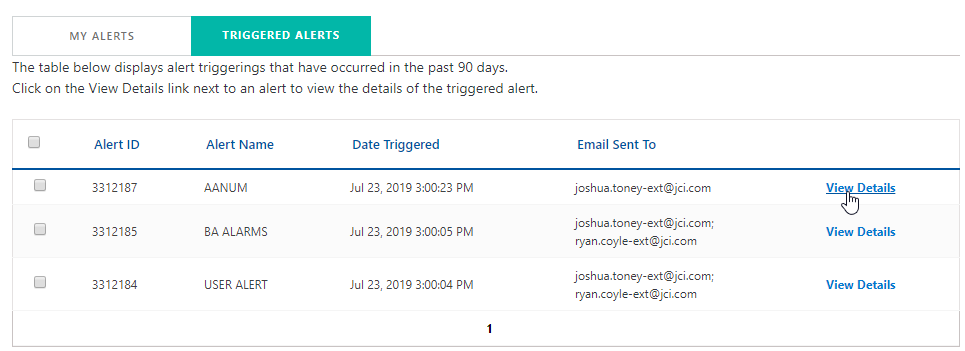
View Details - Displays the details for the associated triggered alert. The triggered alert details by alert type and site. Each site displays the alert's description and timestamp.
-
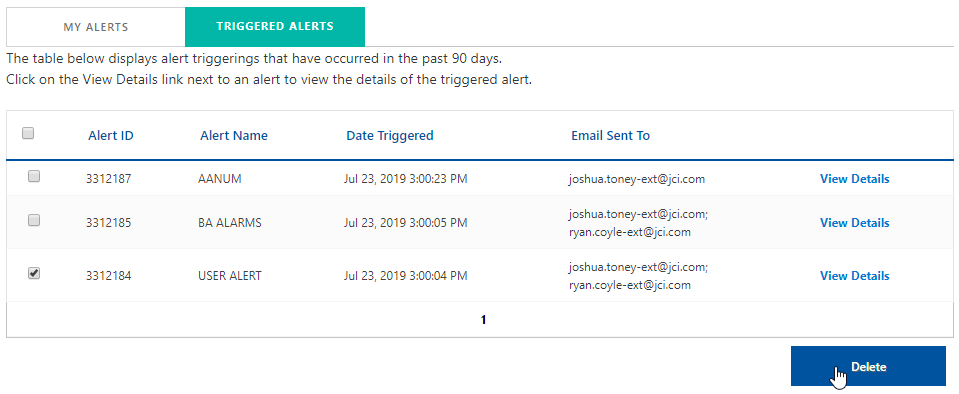
Delete - Permanently removes the alert associated with the triggered alert.
-
To view triggered alerts in the Notifications Dashboard, click Home from the Navigation bar.

Click the Triggered Alerts link to display the Triggered Alerts tab in My Alerts.